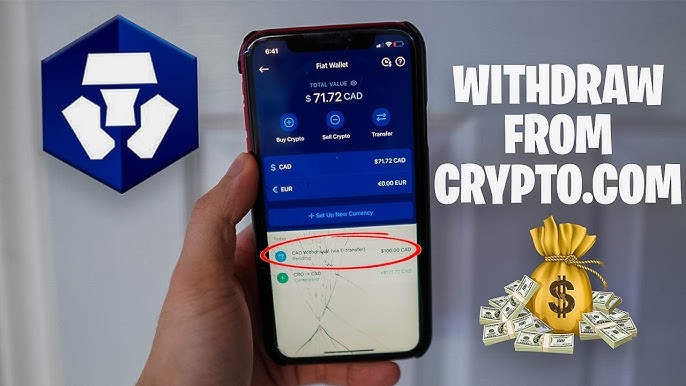
Withdraw Fiat (Money) or Crypto from Crypto.com to Your Bank Account
Withdrawing money from Crypto.com might seem daunting at first, but once you know the steps, it’s straightforward. Whether you want to move fiat (e.g. USD, EUR) to your bank account or send crypto to an external wallet, Crypto.com supports multiple withdrawal paths. In this guide I walk you through each method, cover fees, limits, pitfalls, security measures, and tips to make your withdrawal smooth.
Understanding Withdrawal Options
First, it helps to know what “withdrawal” means on Crypto.com. You can withdraw fiat currency (local money) to your bank account or crypto assets to another wallet or exchange. The process, requirements, and costs differ depending on which path you take.
Crypto.com supports withdrawals via ACH (for USD), SWIFT (for many fiat currencies), and regional rails like SEPA for EUR. For crypto withdrawals, they require you to add (whitelist) an external address and pay network fees.
Your location (country/jurisdiction), banking infrastructure, and regulatory rules may affect which methods are available. Always check in your Crypto.com app under settings, “Withdraw” or “Fees & Limits,” for details specific to your region.
Read Also: Luna Coin: Terra 2.0’s Journey, Price, and Future Explained
How to Withdraw Fiat (Cash) from Crypto.com
Step 1: Convert Crypto to Fiat
If your funds are held in cryptocurrencies (BTC, ETH, etc.), first you need to sell them to fiat in your Crypto.com account. Open the app, go to “Accounts,” choose the crypto you want to convert, and tap “Sell.” Choose your fiat wallet (USD, EUR, etc.) as the destination.
Make sure you are aware of the conversion rate and any spreads or trading fees. These are separate from withdrawal fees.
Step 2: Navigate to Fiat Withdrawal
In the app menu or “Accounts” tab, find Fiat Wallet (or equivalent). Then choose Transfer > Withdraw > Fiat (or “Withdraw USD,” “Withdraw EUR,” etc.).
You may need to add or verify a linked bank account, especially if this is your first withdrawal.
Step 3: Add or Verify Bank Account
If you haven’t already linked your bank account, you’ll be asked to “Add Bank Account.” Provide bank name, routing or SWIFT/IBAN, account number, and ensure the name matches your Crypto.com KYC records.
Some jurisdictions require that you deposit fiat into Crypto.com first (via the same bank) before you can withdraw to that same account.
Step 4: Enter Amount and Confirm
Enter how much you want to withdraw. The app will usually show the applicable limits and any fee that will be deducted. Review your bank details, confirm, and complete any authentication steps (SMS OTP, 2FA code).
Step 5: Wait for Processing
Once submitted, Crypto.com reviews the request and sends the funds via the selected method. Processing time depends on method and bank. SEPA is typically fast (1–2 business days). ACH is also relatively quick. For SWIFT, it may take more time.
You can monitor the status in your app under withdrawal history.
Common Fiat Withdrawal Methods & Costs
- ACH (USD, U.S.): Crypto.com does not charge a fee for ACH withdrawals. But your bank may impose a fee.
- SWIFT (USD, many regions): Crypto.com charges a $45 fee for USD SWIFT withdrawals.
- SEPA (EUR region): Often low or minimal fee (e.g., €1).
- Other local rails (GBP, etc.): Check applicable fees in your region.
Also note: Crypto.com imposes minimum and maximum withdrawal amounts per transaction, per day, and per month.
How to Withdraw Crypto from Crypto.com
When you want to send crypto assets (BTC, ETH, etc.) out of Crypto.com to another wallet or exchange, follow these steps.
Step 1: Open Crypto Wallet → Transfer → Withdraw
Go to your “Accounts” tab, select “Crypto Wallet,” and tap “Transfer.” Then choose “Withdraw.”
Step 2: Choose Destination Type
You’ll see options like “External Wallet,” “Crypto.com Users,” or “Crypto.com DeFi Wallet.” When sending to a wallet outside Crypto.com, select “External Wallet.”
Step 3: Whitelist New Address
If it’s your first time sending to that wallet address, you must whitelist it. Tap “+ Add Wallet Address,” input the address (or scan via QR), select the appropriate network, and give it a label.
Because of security measures, there may be a 24-hour withdrawal lock before you can use a newly whitelisted address.
Step 4: Enter Amount & Review
Once the address is whitelisted, choose it, enter the amount to withdraw, and review fees and the net amount you will receive.
Note that the withdrawal fee is deducted from the crypto you are sending. Crypto.com doesn’t allow paying it with CRO (their native token).
Step 5: Authenticate & Confirm
Complete SMS, 2FA, or passkey verification. Then confirm the withdrawal. For external wallets, processing can take up to 2–3 hours (or more depending on network congestion).
Withdrawal Limits & Fee Examples
Crypto.com enforces limits on how much crypto you can withdraw per day (e.g. up to BTC 10 or equivalent).
Fees vary per asset and network. For example, a Bitcoin withdrawal might incur 0.0006 BTC as the fee, Ethereum 0.005 ETH, etc.
CRO (native token) withdrawals have special rules: e.g. 0.2 CRO on Cronos, 70 CRO on ERC-20, etc.
Reddit users warn that in some cases fees are surprisingly high, and flat (not percentage based).
Withdrawing Between Crypto.com Exchange and App
If you use Crypto.com’s Exchange platform and its mobile App, you can move crypto between them. Withdrawing from Exchange to Crypto.com App account is typically free and instantaneous.
But withdrawing from Exchange to an external wallet incurs network fees, per the usual rules.
Also, if you call the “Withdraw to App” option (when supported), you may avoid on-chain fees.
Security & Best Practices
Security must come first when dealing with real money or crypto. Before initiating a withdrawal:
- Always enable 2FA (two-factor authentication).
- Use address whitelisting for external wallet withdrawals.
- Wait for the 24-hour lock period when adding a new wallet address.
- Confirm that the destination address is for the correct network (e.g. ERC-20 vs BEP-20) — mistakes can lead to irreversible loss.
- Keep your app updated to ensure you benefit from the latest security enhancements.
- Avoid withdrawing during high network congestion; fees may spike.
- Double-check that your bank account name matches your KYC info to prevent rejection or delays.
Troubleshooting Common Issues
If your withdrawal fails or is delayed, here are some common causes and fixes:
If the transaction status is stuck, it might be under internal review. Give it time, especially during high load periods.
If you see an “insufficient funds” or “fee offset” issue, it usually means you didn’t leave enough crypto to cover the network fee.
If your throughput exceeds your daily or monthly limit, exit requests will be blocked. Check limit details in the app.
If your bank didn’t receive the fiat, check with your bank first (especially for SWIFT). The issue may lie on their end.
If the withdrawal address is rejected, check that you whitelisted it, and that the address matches the network and exchange specs.
If your bank account name does not exactly match your KYC name, withdrawals may be rejected or delayed.
Tips to Optimize Your Withdrawal Experience
To make your withdrawals smoother and cheaper:
- Time withdrawals when the blockchain network is less congested.
- Use local rails (ACH, SEPA) when available because they often cost less or are free.
- Consolidate withdrawals (batch them) if you frequently move small amounts.
- Before adding a new withdrawal address, double check everything — avoid typos.
- Stay aware of Crypto.com’s updates in the “Fees & Limits” section of the app.
- If possible, move crypto within Crypto.com (e.g. from Exchange to App) before doing an external withdrawal to reduce costs.
- Keep enough balance to cover network gas fees — don’t drain the wallet to zero.
Conclusion
Withdrawing money from Crypto.com need not be difficult. The process splits into two main paths: fiat withdrawals to your bank, and crypto withdrawals to external wallets or exchanges. Each path has its own steps, authentication, security checks, and fees. Knowing how each method works—and observing limits, matching account names, and following security best practices—lets you withdraw smoothly, safely, and with minimal surprise costs.
If you tell me your country (e.g. Pakistan) and your preferred currency, I can help you with the exact steps and local methods for withdrawing from Crypto.com in your region.
FAQs
How do I withdraw money from Crypto.com to my bank account?
Open the app, go to Fiat Wallet, tap Withdraw, select your bank, enter the amount, and confirm.
How long does Crypto.com withdrawal take?
ACH and SEPA usually take 1–3 business days, while SWIFT and crypto withdrawals vary by network speed.
What are Crypto.com withdrawal fees?
ACH withdrawals are free, SEPA minimal, while SWIFT and crypto network fees depend on the asset and method.
Can I withdraw crypto from Crypto.com to another wallet?
Yes. Add and whitelist an external wallet address, verify it, and withdraw your chosen crypto securely.
Why is my Crypto.com withdrawal pending or failed?
It may be under review, exceed limits, or have incorrect details. Check the app or contact support for status.




Post Comment